
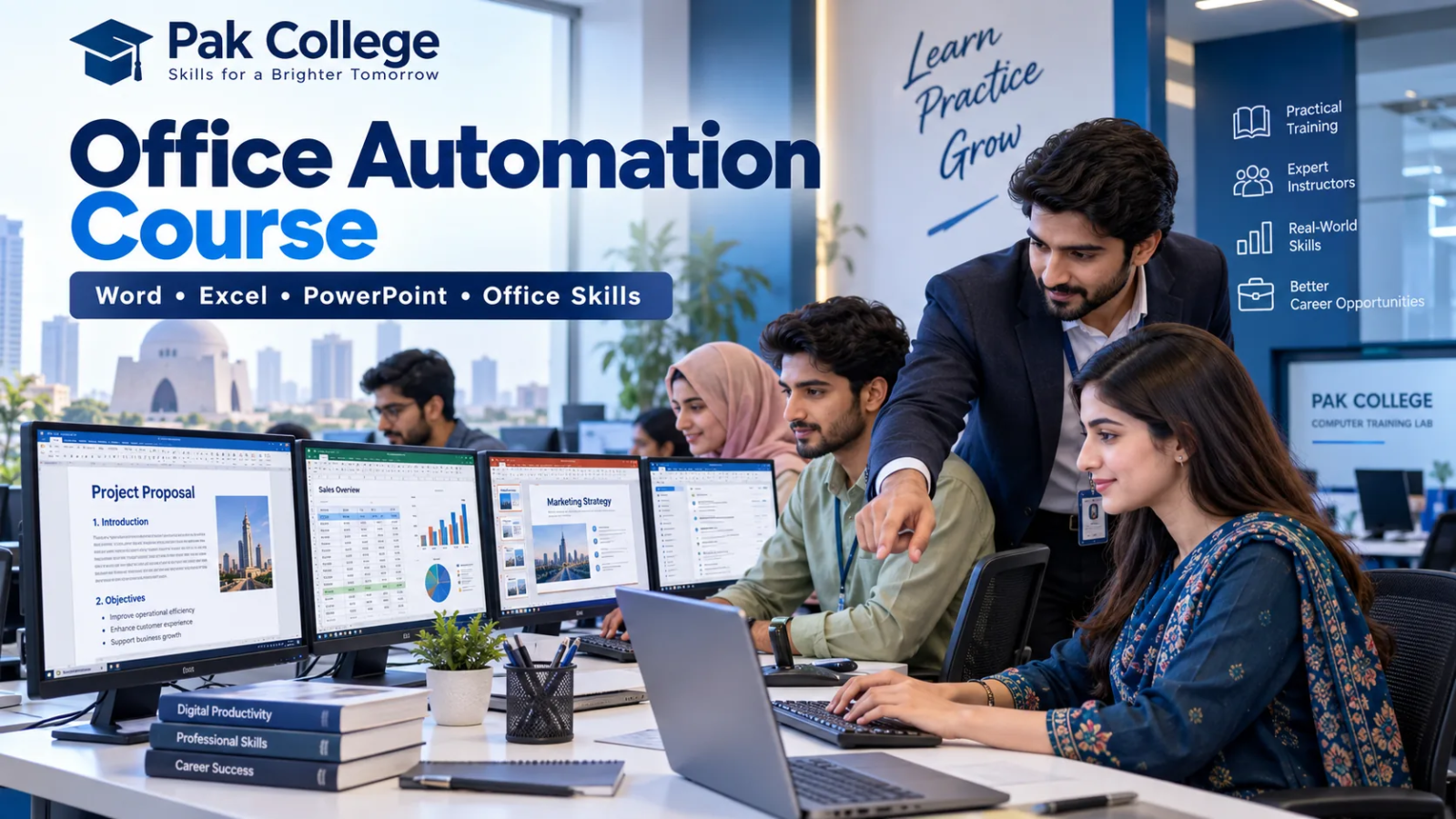
Modern offices depend heavily on computers for documentation, spreadsheets, reports, presentations, email communication and everyday administrative work. For students and job seekers who want to build these practical skills, an Office Automation Course can provide a strong starting point.
Office automation training generally focuses on workplace applications such as Microsoft Word, Excel and PowerPoint, along with file management, professional communication, data entry and other routine office tasks.
These skills can be useful for students, office assistants, computer operators, receptionists, administrative staff, business owners and anyone who wants to become more confident using computers professionally.
Students in Karachi can also explore the computer and IT programs available at Pak College, including Office Automation, CIT, Advanced Excel and ADIT.
What Is an Office Automation Course?
An Office Automation Course teaches students how to use computers and productivity software to perform routine office and administrative tasks efficiently.
Instead of completing every task manually, modern workplaces use software to create documents, perform calculations, maintain records, prepare reports, communicate through email and organize information.
For example, an employee may use Microsoft Word to prepare a business letter, Excel to maintain attendance or sales records and PowerPoint to create a presentation for a meeting.
Office automation training can therefore cover tasks such as:
- Creating professional documents
- Working with spreadsheets
- Preparing presentations
- Organizing digital files
- Managing office records
- Writing professional emails
- Preparing reports
- Performing basic calculations
- Formatting and printing documents
- Maintaining administrative information
The main objective is to help learners become confident and productive when using computers in an office environment.
What Is Office Automation?
Office automation means using computers, software and digital tools to simplify routine administrative work.
In the past, many office activities depended heavily on handwritten records, physical files and manual calculations. Today, businesses can use digital systems for tasks such as:
- Preparing letters and reports
- Managing employee information
- Maintaining attendance
- Tracking expenses
- Recording sales
- Creating invoices
- Preparing presentations
- Managing digital documents
- Sharing files
- Communicating through email
For example, instead of manually calculating hundreds of transactions, an Excel spreadsheet can automatically perform calculations.
Similarly, Microsoft Word templates can make repeated documentation faster and more consistent.
Microsoft also provides official learning resources covering Word, Excel, PowerPoint and other productivity applications through Microsoft Learn.
Office Automation Course Syllabus
The exact syllabus can vary between institutes, but a practical Office Automation Course syllabus usually focuses on productivity software and everyday workplace tasks.
Common areas include:
- Microsoft Word
- Microsoft Excel
- Microsoft PowerPoint
- Email and Internet
- File and Folder Management
- Professional Documentation
- Data Entry
- Basic Reporting
- Printing and Page Setup
- Digital Office Communication
Let us look at these skills in more detail.
Microsoft Word for Office Work
Microsoft Word is commonly used to create and format professional documents.
Students may learn how to prepare:
- Business letters
- Reports
- CVs
- Applications
- Notices
- Official correspondence
- Tables
- Forms
Useful Microsoft Word skills include:
- Text formatting
- Paragraph formatting
- Page setup
- Headers and footers
- Page numbering
- Tables
- Images
- Templates
- Mail merge
- Printing
These skills can be valuable because documentation is a routine part of many administrative positions.
For example, an office assistant may need to prepare a letter, format a report or create a professional document for management.
Microsoft Excel for Data and Reports
Excel is particularly useful for employees who work with data, records and calculations.
Basic Office Automation training may include:
- Creating worksheets
- Entering data
- Formatting cells
- Creating tables
- Basic formulas
- Sorting data
- Filtering records
- Simple calculations
- Attendance sheets
- Expense records
- Sales records
- Basic reporting
For example, an employee can use Excel to maintain monthly expenses or attendance instead of recording everything manually.
Students who want to develop deeper spreadsheet and reporting skills can later progress to the Advanced Excel Course in Karachi.
Pak College’s Advanced Excel program covers areas including lookup functions, Pivot Tables, nested formulas, sorting, filtering, payroll sheets and sales reporting.
Microsoft also offers official Excel learning resources through Microsoft Learn for learners who want additional practice.
Microsoft PowerPoint for Presentations
Presentations are frequently used in businesses, educational institutions, meetings, seminars and professional environments.
An Office Automation Course can teach students how to:
- Create professional slides
- Choose appropriate layouts
- Add text and images
- Insert charts
- Structure information
- Apply transitions
- Prepare business presentations
- Present information clearly
PowerPoint skills can be useful for employees who need to present reports, proposals, project updates or training material.
The objective should not simply be to create attractive slides. A professional presentation should communicate information clearly and logically.
Email and Internet Skills
Modern office communication frequently happens through email and online platforms.
Students should therefore understand basic digital communication, including:
- Writing professional emails
- Using clear subject lines
- Adding attachments
- Downloading files
- Uploading documents
- Organizing messages
- Basic internet research
- Managing online information
Professional communication is an important workplace skill because employees regularly communicate with customers, managers, suppliers and colleagues.
File and Folder Management
A computer can contain hundreds or thousands of files.
Without proper organization, finding the right document can become difficult.
Students should understand how to:
- Create folders
- Rename files
- Organize documents
- Copy and move files
- Search for documents
- Use meaningful filenames
- Store important information properly
Good file-management habits can improve productivity and reduce confusion.
Office Automation Skills You Can Learn
An Office Automation Course can help learners develop several practical workplace skills.
Document Preparation
Students learn how to create properly formatted letters, reports, applications and other documents.
Spreadsheet Management
Learners develop the ability to enter, organize and calculate information using spreadsheets.
Data Entry
Accurate data entry is useful in workplaces that maintain customer, employee, inventory or financial records.
Presentation Creation
Students can learn how to prepare professional presentations for meetings and projects.
Digital Record Keeping
Office automation skills can help businesses organize records digitally rather than relying entirely on paper documents.
Professional Communication
Email and documentation skills help employees communicate more clearly in professional environments.
Basic Reporting
Word and Excel can be used together to prepare reports containing calculations, tables and written explanations.
Administrative Computer Skills
Overall, Office Automation training can help learners become comfortable performing routine computer-based administrative tasks.
Who Should Take an Office Automation Course?
An Office Automation Course can be useful for people from different educational and professional backgrounds.
Students
Students can build useful computer skills that may support higher education, internships and future employment.
Matric and Intermediate Students
Students who have recently completed school or college can develop practical computer skills before entering professional life.
Job Seekers
Many entry-level office positions require familiarity with Word, Excel and general computer operations.
Office Assistants
Existing office assistants can improve their document preparation, spreadsheet and reporting abilities.
Receptionists
Reception and front-desk jobs may involve email, data entry, record keeping and basic documentation.
Administrative Staff
Administrative employees frequently use productivity software for reports, correspondence and record keeping.
Business Owners
Small-business owners can use Office Automation skills to maintain records, prepare documents and monitor basic business data.
Beginners
Office Automation can also be suitable for learners who have limited computer knowledge and want to build confidence gradually.
Office Automation Course in Karachi
Students looking for an Office Automation Course in Karachi should consider programs that focus on practical computer usage rather than theory alone.
Pak College lists Office Automation among its available short courses. Students can review current programs through the Pak College Courses, Fee Structures & Scope page.
Pak College is located in North Nazimabad, Karachi, providing physical computer and IT training for learners in Karachi.
Students should ideally spend enough time practicing Microsoft Word, Excel, PowerPoint and related office activities.
The objective should be to become capable of completing tasks independently rather than simply memorizing menus and commands.
Office Automation Course vs CIT
Office Automation and CIT are sometimes confused because both include computer skills.
However, their scope is different.
Office Automation
Office Automation primarily focuses on workplace productivity skills such as:
- Microsoft Word
- Microsoft Excel
- Microsoft PowerPoint
- Documentation
- Data entry
- File management
- Administrative computing
CIT
A Certificate in Information Technology provides broader exposure to information technology.
Pak College’s Certificate in Information Technology (CIT) includes Microsoft Word, Excel and PowerPoint together with broader areas such as Information Technology, Adobe Photoshop, Figma, HTML, CSS, Python Programming and Google Workspace.
Therefore, Office Automation may be suitable for learners primarily interested in everyday office productivity.
CIT may be more appropriate for students who want broader exposure to different IT skills.
Neither option is automatically better. The right course depends on your goals.
Office Automation Course vs ADIT
ADIT offers a much broader learning path than basic Office Automation.
Pak College’s Advanced Diploma in Information Technology combines office applications with additional IT subjects such as:
- Microsoft Excel
- Microsoft Word
- Microsoft PowerPoint
- Information Technology
- Adobe Photoshop
- Figma
- HTML
- CSS
- Bootstrap
- JavaScript
- WordPress
- PHP
- MySQL
- Python
Therefore, students mainly interested in practical office work may begin with Office Automation.
Learners who want a broader IT diploma covering web development, programming and information technology can explore ADIT.
Office Automation vs Advanced Excel
Another common question is whether students should choose Office Automation or Advanced Excel.
The biggest difference is depth.
An Office Automation Course introduces multiple productivity applications such as Word, Excel and PowerPoint.
Advanced Excel focuses specifically on spreadsheet analysis, reporting and more advanced Excel functionality.
For example, the Advanced Excel Course at Pak College covers topics including:
- Tables and Macros
- Lookup Functions
- Nested Formulas
- Pivot Tables
- Conditionals
- Sorting and Filtering
- Payroll Sheets
- Sales Reports
Students who are new to Microsoft Office may begin with Office Automation.
Students who already understand basic Excel and want stronger spreadsheet capabilities can progress toward Advanced Excel.
Career Opportunities After an Office Automation Course
Completing an Office Automation Course does not guarantee employment. However, the skills learned can support applications for several entry-level administrative positions.
Depending on education, experience and employer requirements, learners may explore positions such as:
- Office Assistant
- Computer Operator
- Data Entry Operator
- Administrative Assistant
- Documentation Assistant
- Front Desk Assistant
- Reception Support
- Clerical Assistant
- Back Office Assistant
- Records Assistant
For example, an office assistant may be expected to prepare Word documents, update Excel sheets, send emails and organize records.
These are the types of practical activities that Office Automation training can help learners practice.
However, employers may also consider communication skills, typing speed, education and previous experience.
Office Automation Course Scope in Pakistan
Computer-based office skills can be useful across many sectors in Pakistan.
Organizations in areas such as:
- Education
- Retail
- Healthcare
- Private businesses
- Corporate offices
- NGOs
- Accounting
- Administration
- Small businesses
regularly use digital documents, spreadsheets, presentations and email.
Employees working in these environments may need to prepare reports, enter data, maintain records and communicate digitally.
Therefore, learning Office Automation can provide a useful foundation.
Students can then continue developing more specialized skills depending on their career goals.
For example, learners interested in advanced reporting can progress toward Advanced Excel, while students seeking broader IT knowledge can consider CIT or ADIT.
Is Office Automation Good for Beginners?
Yes. Office Automation is generally beginner-friendly because learners can start with basic computer usage and gradually progress toward common office applications.
Programming knowledge is usually not required for basic Office Automation.
A beginner can start by learning how to:
- Create files and folders.
- Prepare documents in Word.
- Enter information into Excel.
- Perform simple calculations.
- Create presentations.
- Send professional emails.
- Organize digital information.
The most important factor is regular practice.
Watching an instructor demonstrate Excel is useful, but students should also create worksheets and complete exercises themselves.
Practical repetition helps build confidence.
Does an Office Automation Certificate Matter?
An Office Automation certificate can show that a learner has completed formal training.
However, employers may also evaluate practical ability.
A candidate might be asked to:
- Format a Word document
- Create an Excel worksheet
- Apply formulas
- Prepare a PowerPoint presentation
- Enter data
- Send an email with an attachment
Therefore, students should focus on developing practical skills rather than relying only on a certificate.
Learners looking for broader certified IT training can also review Pak College’s CIT program.
Why Microsoft Office Skills Still Matter
Productivity applications remain an important part of modern workplace computing.
Microsoft’s current Office ecosystem includes applications such as Word, Excel, PowerPoint and Outlook, while Microsoft 365 also increasingly integrates AI-powered productivity features. You can explore Microsoft’s official Office and Microsoft 365 productivity training.
However, learners should still understand the fundamentals.
For example, AI may help create a spreadsheet formula or draft a document, but the user should understand what the document or calculation is supposed to accomplish.
Strong foundational Office skills therefore remain useful even as workplace software evolves.
How to Choose an Office Automation Course
Before joining a course, students should compare more than just the fee.
Consider these factors:
Course Syllabus
Check whether the program covers Word, Excel, PowerPoint and practical office activities.
Practical Computer Training
Office applications are best learned through actual practice.
Excel Coverage
Excel is especially valuable for calculations, records and reports.
Assignments
Practical assignments help reinforce what students learn.
Trainer Support
Students should have opportunities to ask questions and solve problems during training.
Course Duration
Choose a duration that provides enough time to practice the applications properly.
Location
Students attending physical classes should also consider the institute’s location.
Progression Options
A useful institute may provide opportunities to progress toward additional skills.
For example, Pak College students can explore:
- Certificate in Information Technology (CIT)
- Advanced Excel Course
- Advanced Diploma in Information Technology (ADIT)
Why Consider Pak College for Office Automation Training?
Pak College provides computer and IT education from its campus in North Nazimabad, Karachi.
Its available programs allow learners to choose between basic office-computing skills and broader IT training depending on their objectives.
Students interested primarily in Word, Excel, PowerPoint and everyday administrative computing can explore Office Automation.
Those who want broader skills can consider the Certificate in Information Technology.
Students interested in deeper spreadsheet skills can explore the Advanced Excel Course in Karachi.
Learners seeking a broader diploma covering web development, programming and IT can consider the Advanced Diploma in Information Technology.
This gives students different learning paths according to their career goals.
Frequently Asked Questions About Office Automation Course
What is an Office Automation Course?
An Office Automation Course teaches practical computer skills used in offices, including document preparation, spreadsheets, presentations, email, digital records and routine administrative tasks.
What do you learn in an Office Automation Course?
Students commonly learn Microsoft Word, Excel, PowerPoint, file management, professional documentation, data entry and basic digital communication.
Is Office Automation useful for jobs?
Office Automation skills can support applications for entry-level office and administrative jobs. Employment still depends on education, practical ability, experience and employer requirements.
What is the scope of Office Automation in Pakistan?
Office productivity skills can be useful across private businesses, educational institutions, healthcare organizations, corporate offices and administrative departments that rely on digital documents and spreadsheets.
Is Office Automation easy for beginners?
Yes. Basic Office Automation is generally beginner-friendly and usually does not require programming knowledge.
Does Office Automation include Excel?
Yes. Excel is commonly one of the main areas of Office Automation because spreadsheets are widely used for calculations, records and reports.
Does Office Automation include Microsoft Word and PowerPoint?
Yes. Word and PowerPoint are commonly taught alongside Excel in Office Automation training.
What is an Office Automation certificate?
An Office Automation certificate confirms completion of the relevant training. However, students should also be able to demonstrate practical computer skills.
What jobs can I apply for after an Office Automation Course?
Depending on your qualifications and experience, Office Automation skills may support applications for roles such as office assistant, computer operator, data entry operator, documentation assistant or administrative assistant.
What is the difference between Office Automation and CIT?
Office Automation focuses mainly on common office productivity applications, while CIT provides broader IT training.
What is the difference between Office Automation and Advanced Excel?
Office Automation covers multiple office applications, while Advanced Excel focuses more deeply on spreadsheet formulas, reporting and data-management functionality.
Where can I learn Office Automation in Karachi?
Pak College lists Office Automation among its available computer programs in North Nazimabad, Karachi. Students can review the latest course information on the Pak College Courses, Fee Structures & Scope page.
What can I learn after Office Automation?
Students can progress toward broader or more specialized programs such as CIT, Advanced Excel or ADIT.
Start Building Practical Office Skills
An Office Automation Course can be a useful starting point for students, beginners and job seekers who want to become more confident using computers in professional environments.
By developing practical skills in Word, Excel, PowerPoint, documentation, email and digital record management, learners can prepare themselves for common administrative and office-computing responsibilities.
Students who want to continue learning can explore the Certificate in Information Technology, Advanced Excel Course or Advanced Diploma in Information Technology at Pak College.
You can also explore the latest programs available through Pak College and choose a learning path that matches your career goals.

Add a Comment